
Table of Contents
Introduction
The emergence of generative Artificial Intelligence (AI) has ignited an artistic revolution that rivals the invention of the camera. Tools like Midjourney, DALL-E, and Gemini have evolved from mere novelties into powerful creative forces, capable of crafting photorealistic images, breathtaking fantasy landscapes, and detailed character portraits that often go viral on social media by using AI Photo Prompts
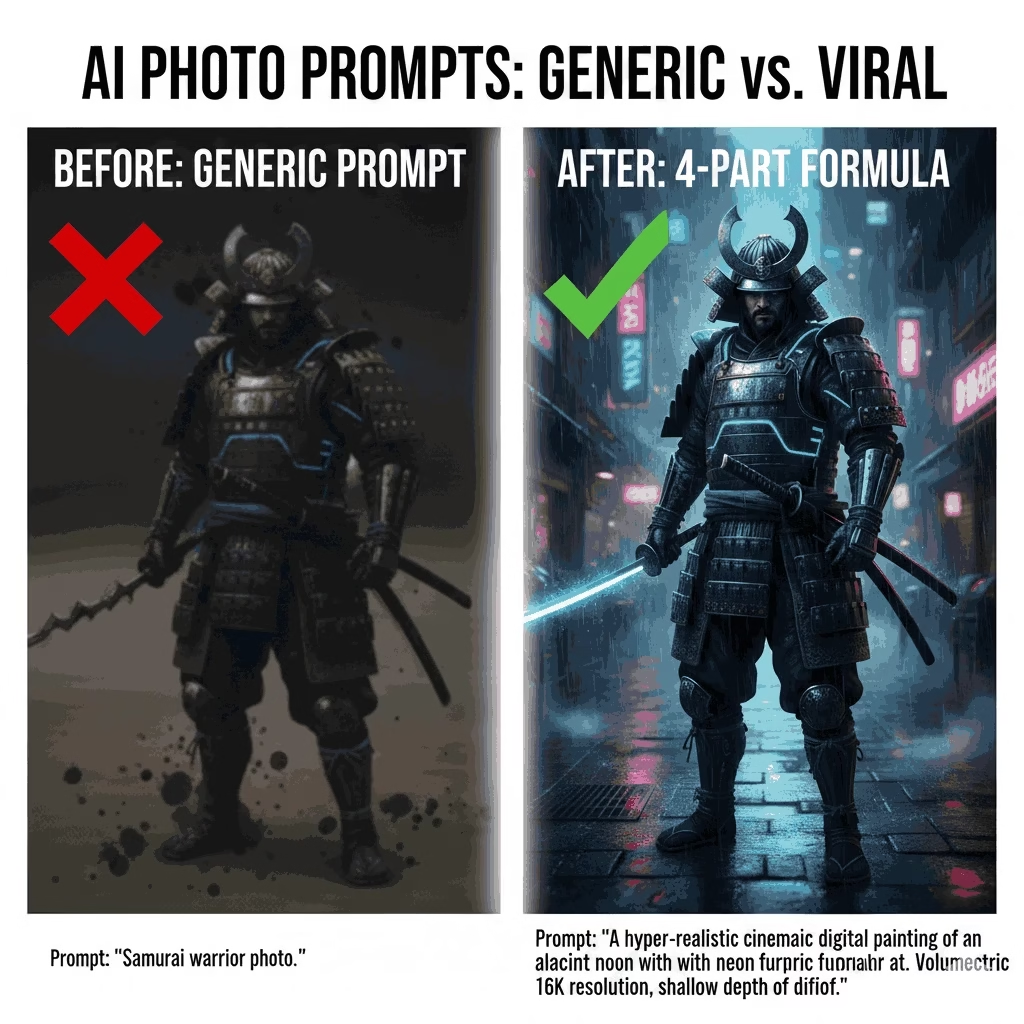
Yet, many users find themselves hitting a brick wall right away. They might type in a straightforward idea—like “Dog on a street” or “Fantasy city”—only to be met with a dull, sometimes strange image that doesn’t quite match their vision. They end up trapped in the realm of generic AI Photo Prompts.
The reality is, AI doesn’t have the ability to read minds; it relies on well-structured, detailed instructions. To elevate your results from “good” to viral and hyper-realistic, you need to think like a director, a photographer, and an art critic all rolled into one.
This is your ultimate 2000-word guide , to breaking free from the ordinary. We’re going to unveil the exclusive 4-Part Formula—the precise framework that professional prompt engineers use—to turn your text into digital art worthy of a museum. By the time you finish this article, you won’t just be crafting prompts; you’ll be creating masterpieces.
Deconstructing the Viral Image: Why Basic Prompts Fail
Before we dive into crafting the perfect prompt, it’s crucial to grasp why those basic, straightforward ones often miss the mark. Picture the AI as an incredibly talented yet very literal artist. It won’t add any creative flair unless you spell out those details for it.
The “Garbage In, Garbage Out” Reality
A lot of newcomers treat the prompt box like a search engine, tossing in simple phrases like “A princess in a castle.” The result? A generic image that’s usually low-res, poorly composed, and lacks any real style. Why does this happen? Because the AI has countless ways to interpret “castle” and “princess,” and it defaults to the statistical average—which is rarely breathtaking.
The Pitfalls of Vague Language
When it comes to achieving hyper-realism, vague artistic direction is your worst enemy. Take a look at the difference between:
- Bad Prompt: “Happy man photo.”
- Better Prompt: “A smiling, bearded man in a tweed jacket, standing next to a roaring fireplace in a cozy study, with cinematic warm light and deep focus, photography style.”
The first prompt leaves almost everything to chance. The second one gives the AI clear guidance on who the subject is, where they are, how they look, and the overall mood.
Understanding AI as a Collaborative Artist
Think of it this way: you’re not just asking the AI to create a picture; you’re providing it with a high-level creative brief. You need to take on the roles of Director, Cinematographer, and Stylist. You lay out the blueprint, and the AI does the heavy lifting. If your blueprint is lacking, the final result will be flimsy. That’s where the 4-Part Formula comes in—it’s your complete blueprint.
The Definitive 4-Part Formula for Perfect AI Photo Prompts
At the heart of every viral, high-quality AI image lies a four-step formula that’s absolutely essential. By consistently using this structure for your AI Photo Prompts, you’ll significantly boost clarity, quality, and the chances of achieving a breathtaking, hyper-realistic image.
1. The Subject & Action (The Who/What)
This is where it all begins. Be incredibly specific about the main focus of your image, making sure to detail all the important physical traits and actions.
- Who/What: Identify the main subject. Think along the lines of a solitary male warrior, a sleek, futuristic motorcycle, or a stack of vintage books.
- Details & Action: Describe everything about them. For example, …dressed in weathered, rusted Mandalorian armor; …mirroring a neon city skyline; …adorned with a faded velvet ribbon.
- Action: What’s the subject up to? …scaling a sheer ice wall; …gazing longingly out a rain-soaked window.
Example Fragment: A dignified, elderly geisha with silver hair, dressed in a beautifully embroidered silk kimono, holding a softly glowing paper lantern.
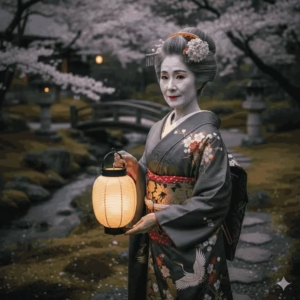
2. The Setting & Environment (The Where/When). AI Photo Prompts
The background plays a crucial role in setting the mood. It’s not enough to simply say “forest”; you need to paint a picture of the type of forest, the vibe, and the time of day.
- Location: Describe the setting. Picture a misty, crumbling medieval bridge; the inside of a vast, deserted space station; or a charming cobblestone street in Paris.
- Atmosphere: Clarify the mood. Think of an eerie silence; a cozy, warm glow; or a high-energy, chaotic scene.
- Time/Weather: Consider the lighting. Imagine the moment of golden hour; beneath a clear, starlit desert sky; or heavy rain pouring down.
Example Fragment: standing in a thick bamboo forest enveloped in mystical morning mist, with soft light streaming through the leaves.
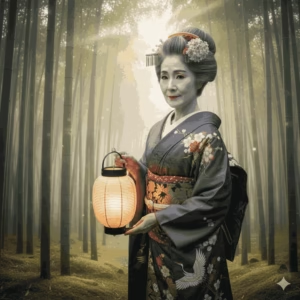
3. Artistic Style & Aesthetic (The How). AI Photo Prompts
This is the key ingredient for giving your image that polished, professional touch. By referencing well-known artistic styles or mediums, you provide the AI with a rich pool of visual inspiration to pull from.
- Medium: Oil painting; pencil sketch; 3D render; bronze statue.
- Art Style: Art Deco; Photorealistic; Studio Ghibli; Cyberpunk aesthetic; Pop Surrealism; Biophilic Design.
- Specific Artists (Use Sparingly): In the style of Van Gogh; inspired by Wes Anderson.
Mastering Stylistic Keywords
To really enhance your AI Photo Prompts for style, make sure to mix in a variety of medium and aesthetic terms.
| Medium/Style | Effect |
| Photorealistic | Aims for a true-to-life image. |
| Concept Art | Detailed, imaginative, often for video games/movies. |
| Digital Painting | Vibrant colors, visible digital brushstrokes. |
| Octane Render | Used for hyper-detailed, clean 3D graphics. |
| Vaporwave/Synthwave | Neon, 80s, glitchy aesthetic. |
Example Fragment: …intricate digital concept art, hyper-detailed, painted with warm cinematic colors, Unreal Engine render.
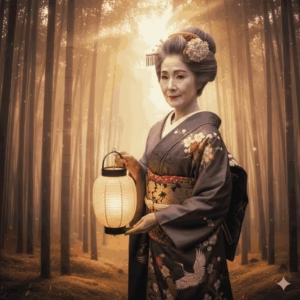
4. Camera & Lighting Details (The Technical Finish). AI Photo Prompts
This is where the magic happens. By incorporating photography and film terminology, you can really elevate the composition, focus, and emotional resonance of your image. This is the key difference between a decent photo and one that goes viral.
- Composition: Think wide shots, intimate close-ups, low-angle perspectives, and the classic rule of thirds.
- Lighting: Consider volumetric light, that cinematic rim light effect, soft studio lighting, or even the boldness of harsh natural sunlight.
- Technical Quality: We’re talking 8K resolution, an F/1.4 aperture for that dreamy shallow depth of field (bokeh), all captured on an Arri Alexa film.
The Complete Prompt Example (Combining all 4 parts):
AI Photo Prompts: AI Photo Prompts: Picture a stoic, elderly geisha with silver hair, dressed in a beautifully embroidered silk kimono, gently holding a glowing paper lantern (Subject). She stands amidst a dense bamboo forest, enveloped in ethereal morning mist, with soft light filtering through the canopy (Setting). The artwork is intricate digital concept art, hyper-detailed, painted in warm cinematic colors, rendered with Unreal Engine (Style). Imagine a wide shot, with volumetric light, in stunning 8K resolution, featuring that lovely shallow depth of field (Technical).
Case Studies: Applying the 4-Part Formula to Viral Trends
To showcase the effectiveness of this formula, let’s dive right into some of the hottest viral trends that are taking social media by storm today.
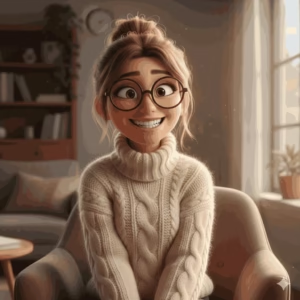
Case Study 1: The Pixar Cartoonification Trend
This trend involves using AI to create vibrant, high-energy characters with a polished, 3D animated look.
| Part | Keyword Focus |
| Subject | A young woman with an exaggerated, playful smile, oversized glasses, wearing a chunky cable-knit sweater. |
| Setting | Indoors, soft daylight streaming through a large window, cozy apartment setting. |
| Style | Pixar 3D Render, Disney Style, highly detailed, expressive animation. |
| Technical | Studio lighting, 8K, cinematic volumetric light, ultra-clear focus. |
Complete Prompt Example: Imagine a young woman sporting a big, playful grin and oversized glasses, all wrapped up in a cozy, chunky cable-knit sweater (Subject). Picture her indoors, with soft daylight pouring in through a large window, creating a warm and inviting apartment vibe (Setting). Think Pixar 3D Render, Disney Style, with a focus on highly detailed and expressive animation (Style). Add in studio lighting, 8K resolution, cinematic volumetric light, and an ultra-clear focus (Technical).
Case Study 2: Hyper-Realistic Cinematic Portrait
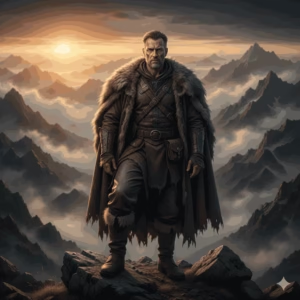
This aims for a magazine-cover aesthetic, requiring extreme attention to lighting and texture.
| Part | Keyword Focus |
| Subject | A lone explorer, male, mid-40s, deep-etched lines on his face, wearing rugged leather and wool gear. |
| Setting | Standing on a craggy, misty mountain peak at sunrise, icy air visible. |
| Style | Hyper-realistic photograph, editorial shot, high contrast, documentary style. |
| Technical | Shot on Arri Alexa, 85mm lens, shallow depth of field (bokeh), dramatic golden hour rim lighting, 16K. |
Complete Prompt Example: A lone explorer, male, mid-40s, with deep-etched lines on his face, wearing rugged leather and wool gear (Subject). Standing on a craggy, misty mountain peak at sunrise, icy air visible (Setting). Hyper-realistic photograph, editorial shot, high contrast, documentary style (Style). Shot on Arri Alexa, 85mm lens, shallow depth of field (bokeh), dramatic golden hour rim lighting, 16K (Technical).
Case Study 3: The Retro-Futurist Mashup
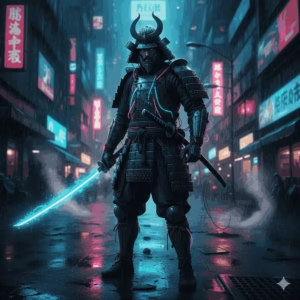
This requires blending historical style (like Japanese Edo period) with a sci-fi twist (Cyberpunk).
| Part | Keyword Focus |
| Subject | An ancient samurai warrior, armor covered in neon wires, holding a glowing katana. |
| Setting | On a rainy, slick Tokyo street at night, reflective puddles, steam rising from grates. |
| Style | Cyberpunk aesthetic, Akira style, digital painting, dark and moody color palette. |
| Technical | Wide-angle shot, neon blue and pink ambient light, cinematic low-light, ultra-detailed texture. |
Complete Prompt Example: An ancient samurai warrior, armor covered in neon wires, holding a glowing katana (Subject). On a rainy, slick Tokyo street at night, reflective puddles, steam rising from grates (Setting). Cyberpunk aesthetic, Akira style, digital painting, dark and moody color palette (Style). Wide-angle shot, neon blue and pink ambient light, cinematic low-light, ultra-detailed texture (Technical).
Advanced Optimization: Troubleshooting and Next Steps
The 4-Part Formula gets you 95% of the way there, but for that final 5% of perfection, we turn to advanced techniques necessary for a cornerstone piece of content.
Using Negative Prompts: The Secret to Perfect Hands
Hands and anatomical errors are the Achilles’ heel of AI art. This is where Negative Prompts come in—you tell the AI what NOT to include. Tools like Stable Diffusion and Midjourney (using the --no parameter) benefit hugely from this technique.
Universal Negative Prompt List (Use these to avoid flaws):
deformed, blurry, bad anatomy, bad hands, extra limbs, extra fingers, malformed, misshapen, watermark, text, signature, low-res, cropped, jpeg artifacts, ugly, asymmetrical.
By including this string (often in a dedicated negative prompt box in your generator), you steer the AI away from common mistakes, ensuring your hyper-realistic portrait actually has realistic anatomy.
Seed Numbers and Iteration
When you generate a great image, the AI assigns it a unique Seed Number. This number is your best friend.
- Find the Seed: Most AI tools let you retrieve the seed number of a successful image.
- Iterate: Re-run the same 4-Part Formula prompt but include the previous image’s seed number.
- Refine: Change only one thing in the prompt (e.g., change the sweater color, or switch the lighting from “golden hour” to “dramatic rim light”).
Using the seed locks in the overall successful composition and lighting, allowing you to fine-tune the details without losing the initial quality.
Tool Agnosticism
The beauty of the 4-Part Formula is that it is tool-agnostic. Whether you use the free version of a generator or a paid subscription, the principles of Subject, Setting, Style, and Technical Details remain the gold standard. A well-written prompt will always outperform a generic one, regardless of the platform.
Conclusion. AI Photo Prompts
We’ve moved beyond the days of random AI art. The eye-catching images you come across today aren’t just flukes; they’re crafted with careful, deliberate instructions.
By using the 4-Part Formula—Subject, Setting, Style, and Technical Details—you can take full creative control. You now have the roadmap to harness the world’s most powerful creative engines, making sure every image you create is not only spot-on but also has the potential to go viral and look hyper-realistic.
The AI revolution is upon us, and you’re now armed with the ultimate tool to take the lead.
Frequently Asked Questions (FAQs). AI Photo Prompts
Q1: What is the most important part of the 4-Part Formula for achieving a viral look?
The standout component is usually Part 3: Artistic Style & Aesthetic paired with Part 4: Camera & Lighting Details. While the subject and setting shape the image, it’s the Style and Technical aspects that really elevate the quality and visual appeal. Phrases like hyper-realistic photograph, cinematic lighting, Unreal Engine render, or a specific style such as Pixar 3D render guide the AI to create a polished, high-quality output that’s more likely to catch on.
Q2: Why does my AI-generated human look distorted, especially the hands?
This is a common issue across many generative AI models. They often struggle with the intricacies of human anatomy, leading to problems like extra fingers, oddly shaped limbs, or distorted faces.
The solution is two-fold:
- Use Negative Prompts: Clearly instruct the AI on what to avoid by using phrases like: bad anatomy, extra limbs, deformed hands, poorly drawn face, mutated.
- Simplify: Limit the number of people in the scene and consider a tighter close-up portrait. This helps the AI concentrate on one face instead of juggling multiple bodies.
Q3: Does the order of words in my AI Photo Prompt actually matter?
Absolutely! The order is crucial, especially in models like Midjourney and Stable Diffusion. AI models tend to prioritize the keywords that come first in the prompt.
- Best Practice: Kick off your prompt with the most important element (the subject) and its key trait. For instance, say A majestic lion instead of In a jungle, a majestic lion…
Q4: How long should my AI Photo Prompt be?
The sweet spot is finding a balance between detail and clarity. While some complex prompts can stretch to hundreds of words, the most effective ones usually fall between 15 and 50 descriptive words (about 3 to 5 clear sentences).
The goal is to be descriptive, not conversational. Avoid unnecessary stop words (like “please,” “a,” “the”) and focus only on the descriptive nouns, adjectives, and technical terms outlined in the 4-Part Formula.
Q5: Can I use the names of specific famous artists (e.g., “in the style of Van Gogh”)?
Yes, you can, but use them strategically and be aware of ethical and legal concerns.
- Creative Effect: Using an artist’s name is a powerful shortcut to adopting their style (Part 3). The AI immediately pulls references from their work’s composition, color, and texture.
- Best Practice: Use it as one element among others (e.g.,
digital painting, vibrant colors, in the style of Van Gogh) rather than the entire prompt. - Legal/Ethical Note: While not legally prohibited in most jurisdictions for personal use, professional commercial use often carries unresolved questions regarding the copyright of the original artist’s style. Always check the terms of service for the specific AI generator you are using.
Take the Next Step: Your Creative Challenge . CTA. AI Photo Prompts
You now have the ultimate 4-Part Formula—the exact blueprint that professional prompt engineers use to craft viral, hyper-realistic images. Stop wasting your credits and start directing your AI assistant with confidence!
Your Challenge: AI Photo Prompts
- Formulate Your Prompt: Craft Your Prompt: Pick a subject (like your pet, a beloved fictional character, or even yourself) and create a prompt using the complete sequence: Subject, Setting, Style, and Technical Details.
- Generate and Share: Use your go-to AI tool (Gemini, Midjourney, DALL-E) to bring your image to life.
- Prove the Formula: We want to see your results in the comments below! Show us the transformation from your old, generic prompt to your new, formula-driven masterpiece.
- Internal Refrences
- ChatGPT Image Prompts: Viral AI Prompts Trending in 2026 .
- Best ChatGPT 2026 Prompts for Content Creation- Complete guide.
- Google Gemini AI Prompts for Personal Growth: Visualize Your Best Self with AI.
- Gemini AI Prompts for Men: 28 Smart Ways to Boost Performance
- External Refrences .
- OpenAI API Documentation (Prompt Engineering Guides).
- Anthropic or Google AI Developer Guides on Context Engineering.
- Prompt Engineering Guide (promptingguide.ai or similar resources).
- Canva or other industry reports on Global Trends in AI Image Generation.
About the Author
👤 Muhammad Ibrahim – Founder of Mindliftly
Muhammad Ibrahim is a technology writer and wellness advocate who loves to dig deeper into the potential of AI to enhance mental well-being, productivity, and personal growth. An experienced researcher with years of tracking emerging technologies, he brings scientific perspective and actionable strategies to guide readers to understand AI-fueled tools for daily calm and clarity.
Through Mindliftly, Ibrahim offers guides, comparisons, and action plans that link AI innovation to people’s well-being. His vision is straightforward: to enable humans to live more conscious, stress-free lives through responsible and effective use of AI.
📩 Connect with Muhammad:
- Website: Mindliftly.com


